Graphs
A Graph is a collection of Vertices & Edges. It can be Sparse, Fully connected, Planar, (un)directed – there are many types of graphs. In this case, a graph is simply a tool to visualize interconnected-ness. A vertex represents any object defined within the domain of interest. An edge represents a type of relationship between two objects. A typical example of a graph could be a network of friends. Each person of the social network represents a unique Vertex, while each edge represents ‘friends’ relation. In this case we assume that the connected persons are indeed both friends, so the graph would be un-directed.
We can represent a social graph with the python libraries NetworkX – for graphs and Matplotlib – for visualization. Lets represent a fake family with on such graph
# import the NetworkX library
import networkx as nx

# Initialize a graph
family_graph = nx.Graph()


# A fake family
family_nodes = ['Dad', 'Mom', 'Brother', 'Sister', 'Best Friend']

# Some fake relationships - each family member directly knows eachother. The brother and the mother are the only ones who know the best friend
# An edge is either a 2-tuple '(from, to)' or a 3-tuple '(from, to, <property-dictionary>)'
# The property-dictionary can contain arbitrary information bout the relationship. It could contain a weight, used for coloring or guiding the
# layout of the final graph.
family_relations = [
    ('Dad', 'Mom'),
    ('Dad', 'Brother'),
    ('Dad', 'Sister'),
    ('Mom', 'Brother'),
    ('Mom', 'Sister'),
    ('Brother', 'Sister'),
    ('Brother', 'Best friend'),
    ('Mom', 'Best friend')
]

# Nodes can be added from any python iterable (such as the list above)
family_graph.add_nodes_from(family_nodes)

# likewise edges as well
family_graph.add_edges_from(family_relations)
At this point we have a graph consisting of 5 Vertices and 8 edges. It can be examined i various ways. One can find the degree (number of edges to/from a vertex), or the actual adjacent vertices.
# find the number of connected edges to the 'Brother' Vertex in the graph
family_graph.degree['Best friend']

> 2


# find the adjacent vertices to the brother
list(family_graph.adj['Best friend'])

> ['Brother', 'Mother']
There is a multitude of other graph related topics about joining graphs and and converting them. For now lets draw the graph
# import matplotlib for drawing
import matplotlib as plt

# draw the current graph with labels given a random layout

# labels are represented as a dict where the node is the key. In this case, the key is the label
node_labels = {}
for elem in family_nodes:
    node_labels[elem] = elem

pos = nx.random_layout(family_graph)
nx.draw_networkx(family_graph, pos, family_nodes, with_labels=True, labels=node_labels)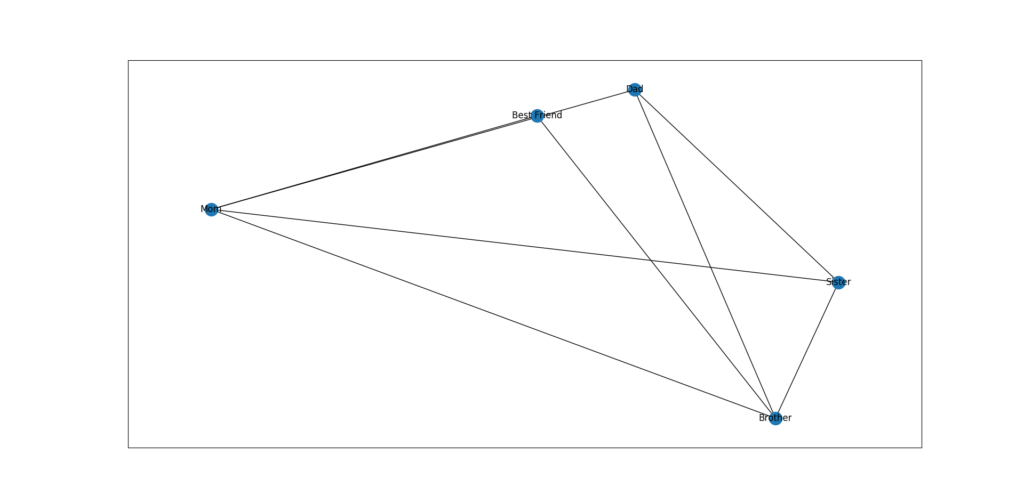
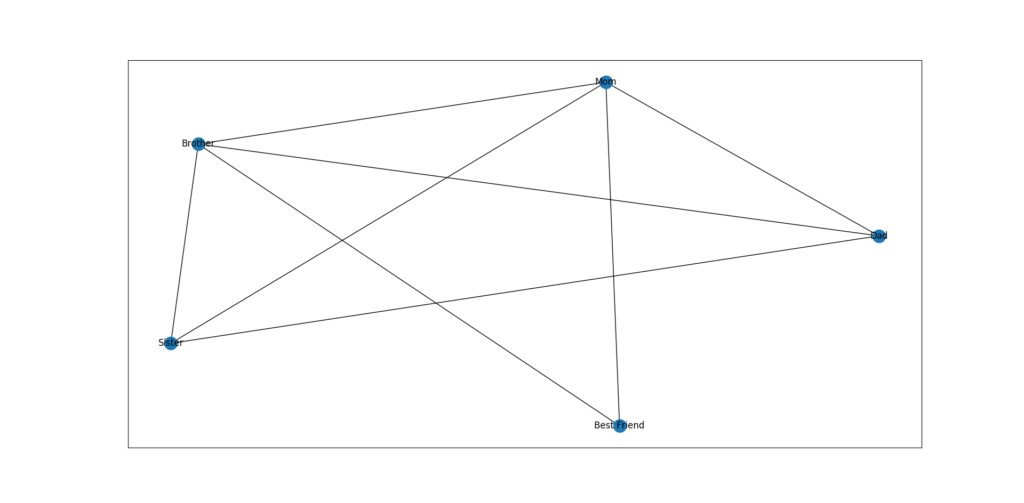
Lets add another layout – a circular one
# choose a specific force directed layout algorithm
pos = nx.kamada_kawai_layout(family_graph)
nx.draw_networkx(family_graph, pos, family_nodes, with_labels=True, labels=node_labels)
A Short note on layout Algorithms
Quite a few layout algorithms exist, but the most common and tunable algorithm is the Kamada Kawai algorithm. It is a force directed iterative layout, which uses the nodes degree among other metrics, in order to calculate where each node can be placed. It’s tunable as each edge in the graph can be weighted. A higher weighted edge has a stronger force impact on the layout. However the algorithm is quite expensive as the number of nodes increase. Often a combination of this and a random layout may be a trade-off of interconnected-ness and randomness in the graphs visual representation.
Other layouts do exist for specific domains, such as spiraling of circular layout, which have their capabilities as well. They are somewhere in between a random layout and a Kamada Kawai layout when comparing computation time.